Add a New Phone Directly to Device Manager as a SIP Gateway Phone
The preceding instructions described how to switch an existing phone to a SIP Gateway phone. This instructions below describe how to add a new phone directly to Device Manager as a SIP Gateway phone.
|
➢
|
To add a new phone directly to Device Manager as a SIP Gateway phone: |
|
1.
|
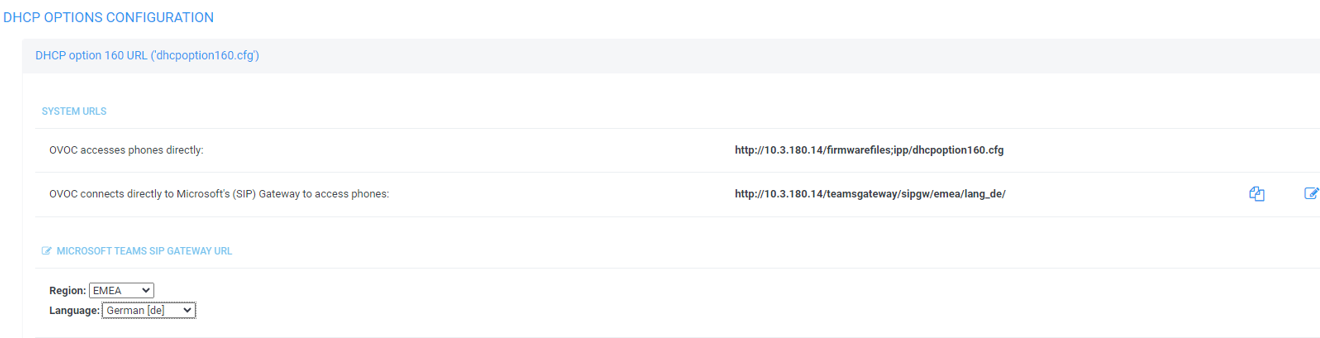
In Device Manager, open the DHCP Options Configuration page (Setup > Settings > DHCP Options Configuration). |

|
2.
|
Copy paste the URL next to OVOC connects directly to Microsoft's (SIP) Gateway to access phones into the phone, the Redirect Server or DHCP Option 160.
|
|
3.
|
[Optionally] Click the icon  adjacent to the URL. adjacent to the URL.
|
|
4.
|
[Optionally] Change the Region | Language; the URL changes accordingly. |